

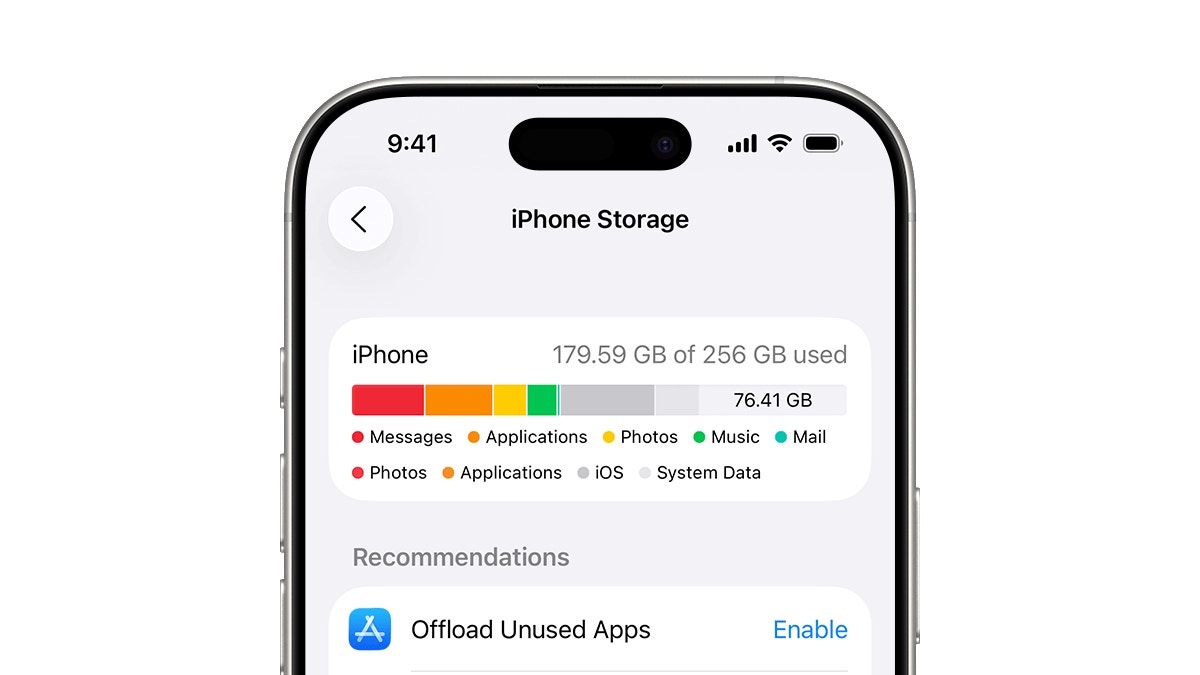
Jakarta, ThedailyID — Many iPhone users struggle with limited storage because Apple devices do not offer expandable memory slots. Fortunately, several simple steps can help free up space.
A full storage capacity can also affect device performance. As a result, the iPhone may become slower and less efficient.


Users can move large files to external hard drives (HDDs) or solid-state drives (SSDs). However, those who prefer not to carry extra devices can try these alternatives.
According to Erafone, here are six ways to free up iPhone storage.
1. Delete Unused Applications
Check your app list for programs you rarely use. Some applications may have remained on your device even though you only opened them once.
To remove an app, press and hold its icon until the deletion option appears.
However, you do not have to delete every app permanently. Instead, use the “Offload Unused Apps” feature in Settings. This option removes the app but keeps its data for future reinstallation.
2. Store Photos and Videos in Google Photos
Photos and videos often take up significant storage space. Moving them to an online service such as Google Photos can help free up your iPhone.
The service also lets you access your media from other devices. In addition, Google offers free storage with a limited capacity.
3. Delete Unnecessary Old Messages
Old conversations and message attachments can gradually consume internal storage. Removing messages you no longer need can help reduce their impact.
You can also enable automatic message deletion. Open Settings, select “Messages,” and tap “Keep Messages.”
From there, choose a retention period, such as 30 days or one year. Your iPhone will automatically remove messages older than the selected period.
4. Remove Offline Videos and Music
Streaming applications often store downloaded content on your device. Over time, these files can consume considerable storage space.
Check your downloads in YouTube, Netflix, Apple Music, or Spotify. Then, delete videos and songs you have already watched or listened to.
5. Clear Your Browser Cache
Browsers such as Safari, Chrome, and Firefox store temporary data to help websites load faster.
However, these cached files can accumulate and take up storage over time. Clearing your browser cache can help recover some of that space.
6. Use Cloud Storage Services
Cloud storage offers another way to manage files without keeping everything on your iPhone.
You can move photos, videos, and work documents to services such as iCloud, Google Drive, or Dropbox. This approach helps free up device storage without permanently deleting your files.
Cloud platforms also provide backup options and let you access files from different devices. You only need an internet connection to retrieve your stored data.
By regularly reviewing apps, media files, messages, and downloads, users can prevent their iPhone storage from filling up too quickly.